Watch the agent work, live.
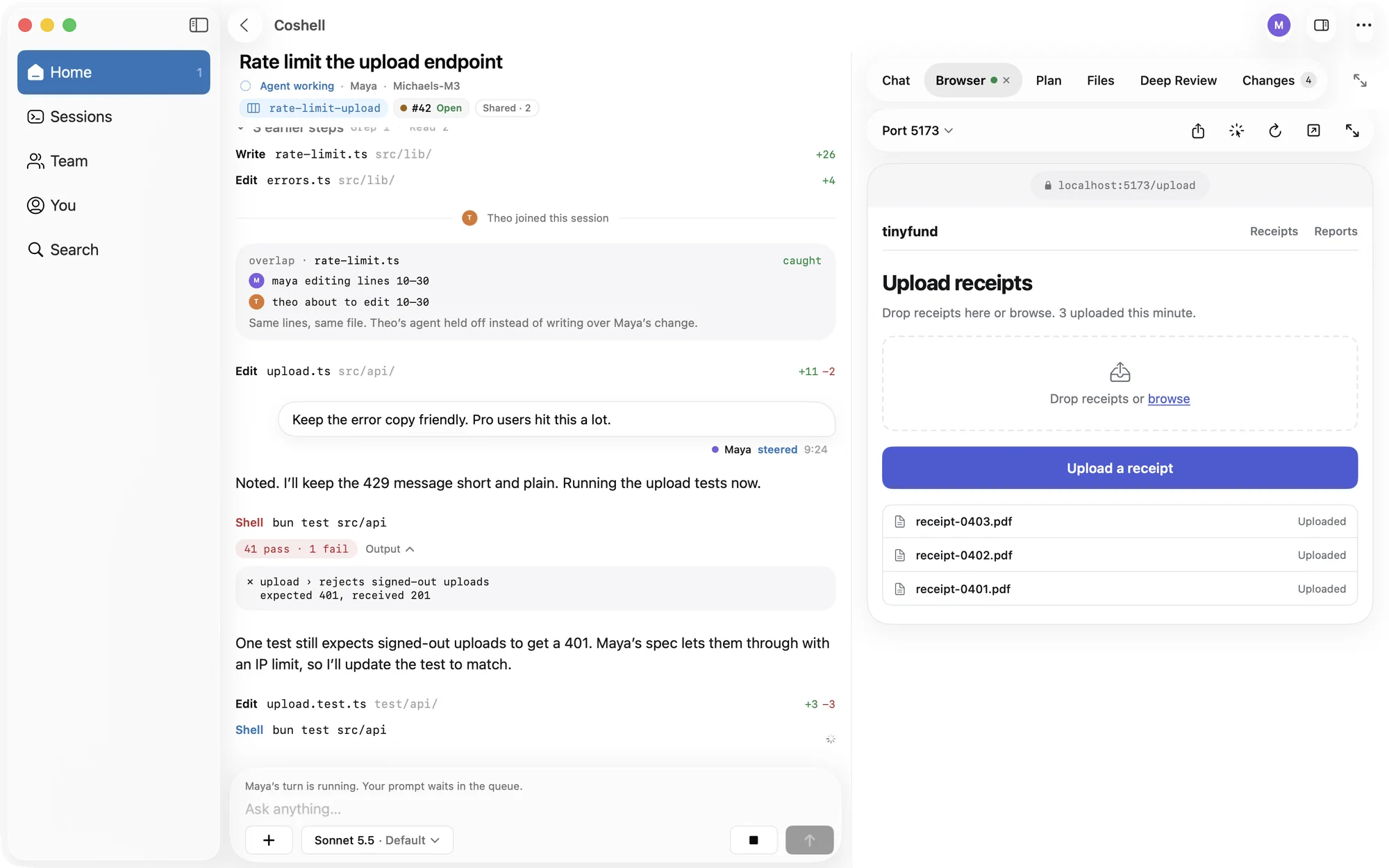
Open any session on your drives and follow it step by step, in the same transcript your teammates see. Prompt it, steer it, or queue the next task, with photos and files attached.

Coshell for iPhone, iPad, and Mac. On TestFlight now.
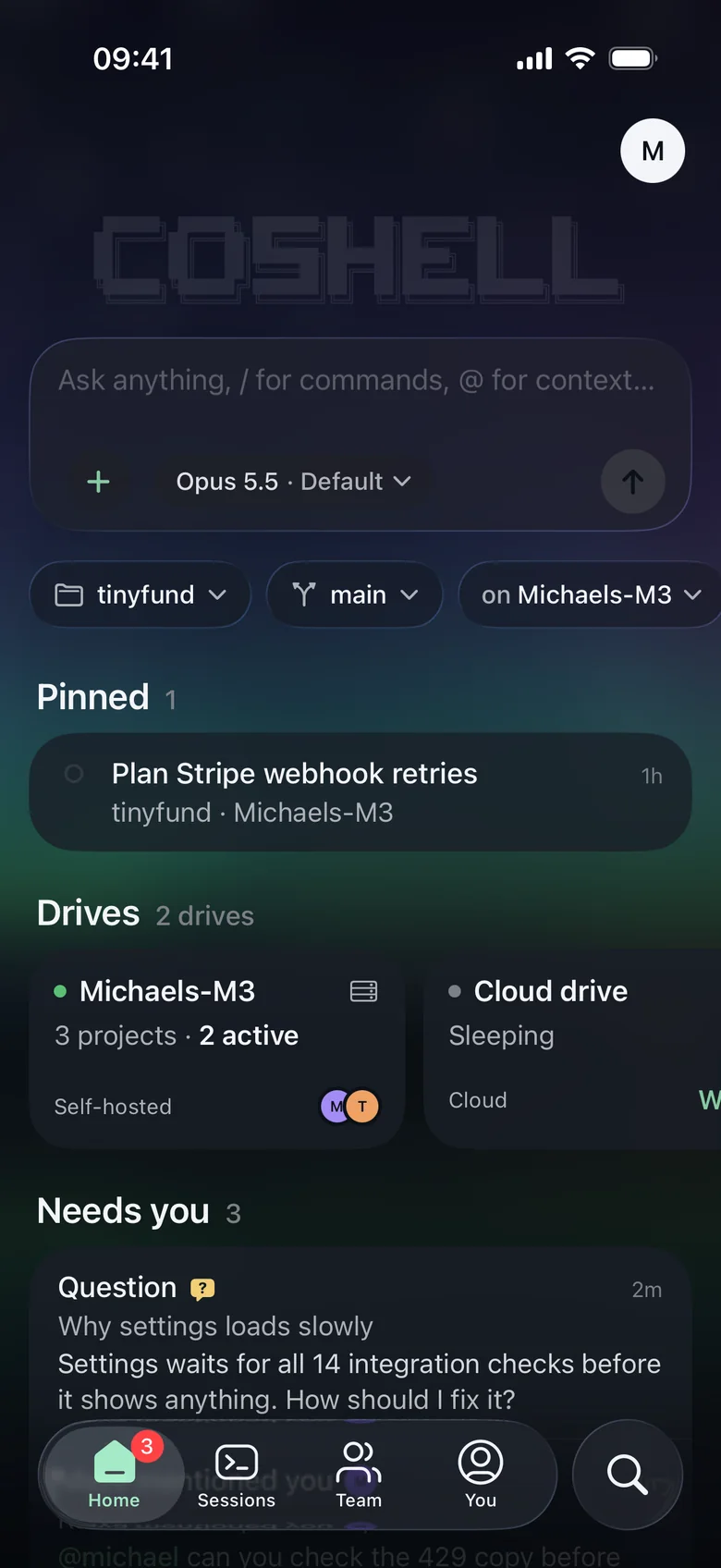
Open any session on your drives and follow it step by step, in the same transcript your teammates see. Prompt it, steer it, or queue the next task, with photos and files attached.
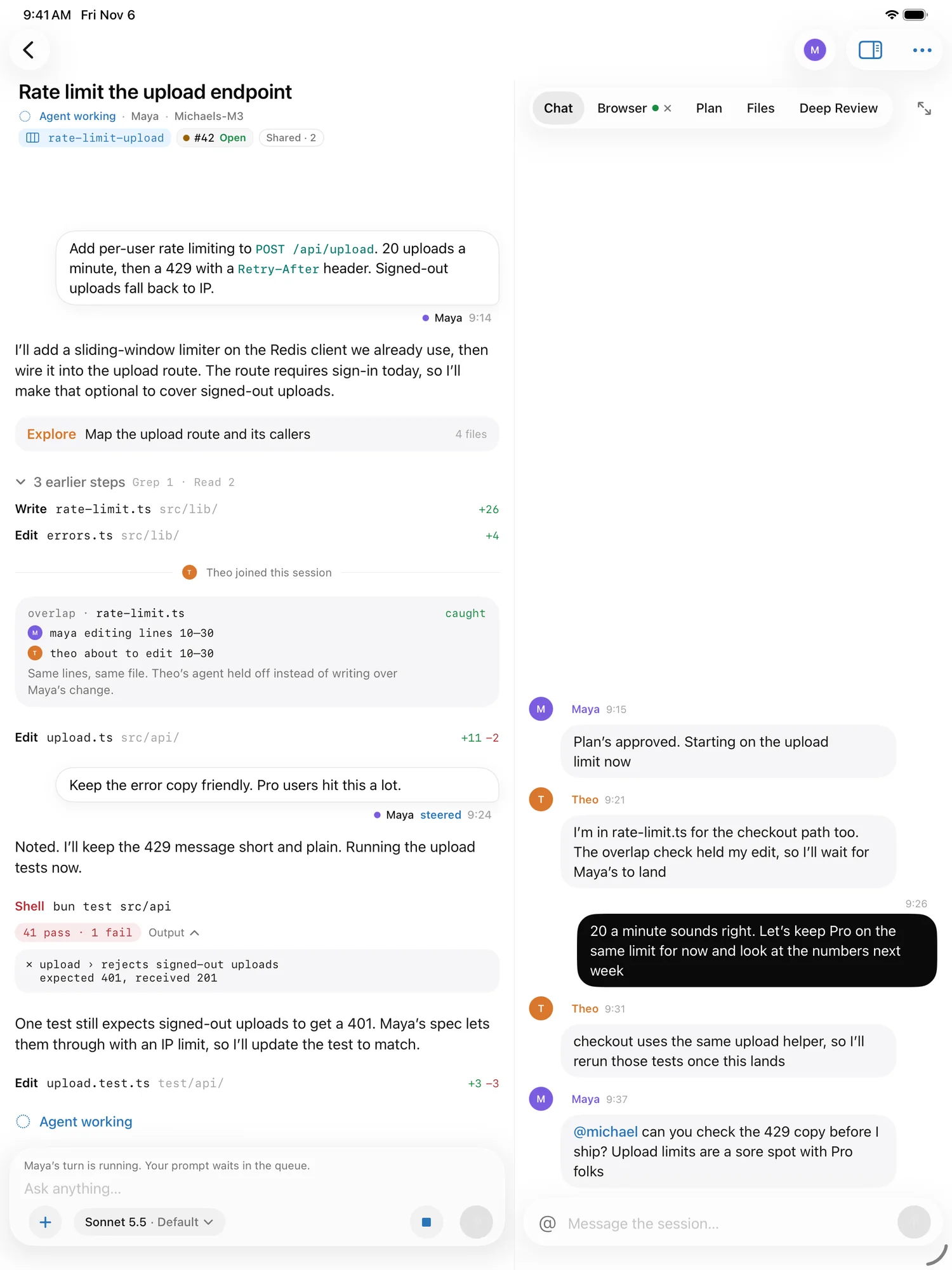
Chat in the session, mention a teammate, and see who is online and which session they are in.
You get a notification when an agent asks to run a command, and you can allow or deny it right there. Pick which notifications you get: permission requests, mentions, and finished turns.
The Browser tab picks it up, so you can see the page it just made. Open files, preview PDFs, and check the plan and the changes.
See its checks and reviews, then merge it or turn on auto-merge.
The transcript sits beside a side panel for chat, the browser, the plan, or files, with keyboard shortcuts.
Pick from 37 themes and lock the app with Face ID or Touch ID.
Choose from 23 backgrounds in You › Appearance, 9 of them moving, or use a picture of your own. The app takes its colors from the picture, so text stays easy to read on every one.
Moving backgrounds hold still in Low Power Mode and when Reduce Motion is on.

Settings waits for all 14 integration checks before it shows anything. How should I fix it?
@michael can you check the 429 copy before I ship?
Signed up with GitHub? Enter your email and the app sends you a code.
Requires iOS 26, iPadOS 26, or macOS 26.
Scan with your iPhone or iPad.